A passport
you can stamp.
A private travel journal for your iPhone, made to feel like the real book. Your details stay on the phone. A stamp lands only when you say yes.
In development. Not on the App Store yet. The App Store link will appear here at launch. A travel journal, not a travel document.
Sample data. In the app, a stamp is added only after you confirm it.
Made for the fold. Works on any iPhone that runs iOS 27.
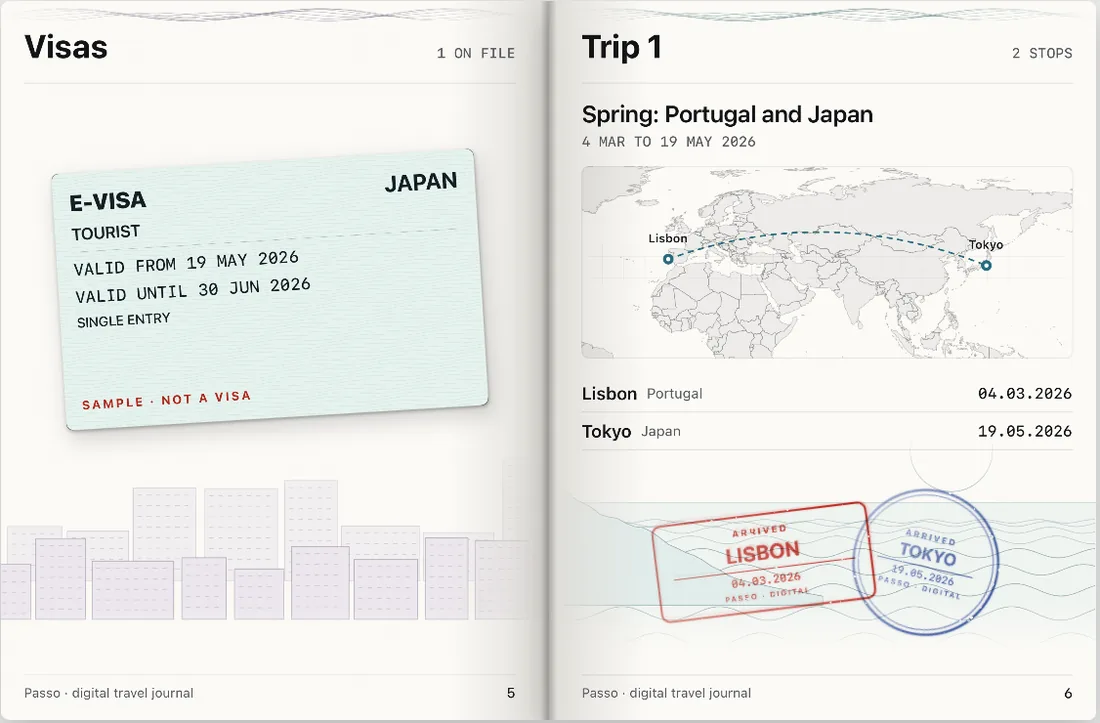
On the iPhone Duo, the closed phone is the cover and unfolding it opens a two-page spread. On other iPhones that run iOS 27, Passo shows one page at a time with the same pages and the same stamps.
Nothing needs the fold to be reached. The hinge only adds a small tilt of the page and a tap of haptics.
What Passo does
Private vault
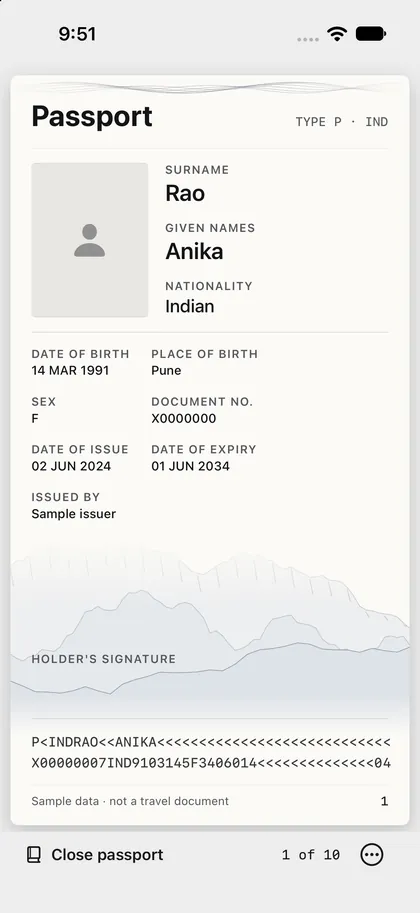
Passport details are encrypted on the device with a key that needs a device passcode.
Confirm-first stamps
Passo suggests, you decide. Nothing is stamped silently.
Visa scan
Scan a visa onto its page. It is read on the phone, and you check the details.
Share video
Export a page-turn video. Personal fields are hidden by default.
Expiry reminder
A local notification six months before your passport expires.
Your passport stays on your phone.
Designed that way from the start: no account, no analytics.
Arrive. Say yes. Get the stamp.
- 1
Keep your passport on your phone
Scan the two lines on the photo page, or read the chip where your passport supports it (still being tested). Sealed in an encrypted vault.
- 2
Confirm each arrival
Passo notices the country and asks first.
- 3
Turn the page, share the trip
Export a page turn or a card. Personal fields stay hidden unless you show them.
You arrived in Portugal.
Add a Lisbon stamp to your passport? (Sample)A demo with sample data. Press Stamp it, then Not now to reset.
Stays on your device.
Passo has no account, no analytics and no server that holds your passport. Passo is still in development, and this is how it is designed to behave.
- Passport details
- Encrypted on the device with a key held in the iPhone Keychain. It needs a device passcode, and opens with Face ID, Touch ID or your passcode. It is not uploaded anywhere.
- Location
- Used to suggest a stamp. You confirm each one. Passo keeps only the country, the date and a rounded position for each stamp you confirm.
- Camera
- Reads the machine-readable lines and scans visas. Pictures are processed on the phone.
- NFC
- Reads the passport chip where your passport supports it, only when you hold the phone to it. Chip reading is still being tested.
- Face image
- Kept only if you choose to keep it.
- Analytics and ads
- No third-party analytics, ads or trackers, in the app or on this page. Open-source libraries are used to read the passport chip.
What Passo is not.
Passo is a fun travel journal. It is not a travel document and it does not replace your passport.
- It is not accepted by border control, airlines or any authority.
- Its stamps are digital souvenirs. They are not official entry or exit records.
- Never present the app as proof of identity, travel or status.
- Always carry your real passport and check the rules for your trip.
documentPasso · digital journal
In development.
Passo is not on the App Store yet. The App Store link will appear here at launch. Until then, this page is all there is, and it collects nothing.